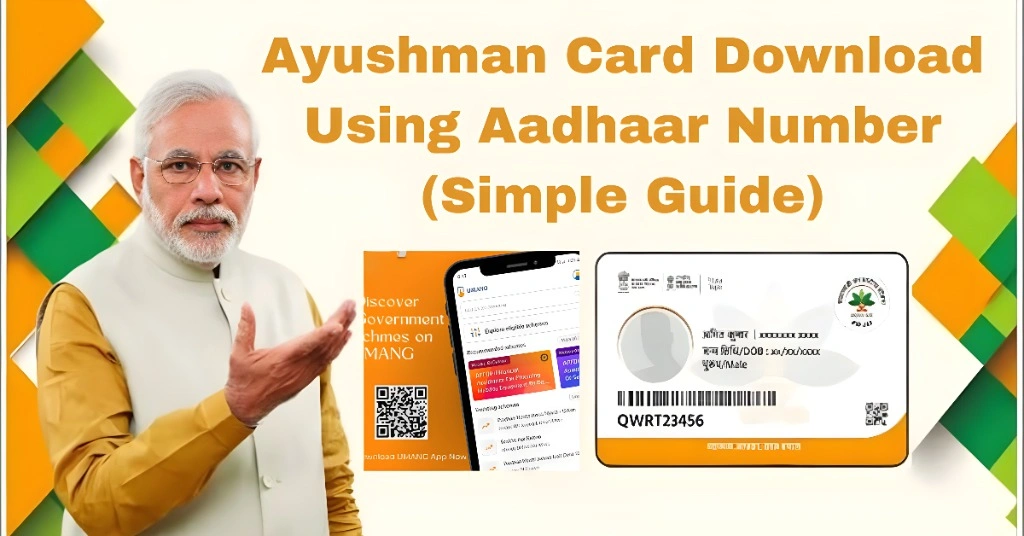
Ayushman Card Download Using Aadhaar Number (Simple Guide)
If you want to download your Ayushman card using your Aadhaar number, you are in the right place. This is one of the easiest methods, but sometimes users face issues like OTP errors, no record found, or card not showing.
In this guide, I will explain everything in a simple way so you can download your Ayushman card without confusion.
Can You Download Ayushman Card Using Aadhaar Number?
Yes, you can use your Aadhaar number to:
Check eligibility
Find your Ayushman record
Complete verification
Download your Ayushman card
But Aadhaar alone is not enough. You also need OTP verification and a registered mobile number.
Comparison of Ayushman Card Download Methods
| Method | Requirement | Speed | Difficulty | Success Rate | Common Issue |
|---|---|---|---|---|---|
| Aadhaar Number | Aadhaar + OTP mobile | Fast | Easy | High | OTP delay, mismatch |
| Mobile Number | Registered mobile | Fast | Easy | High | Wrong number |
| CSC Center | Aadhaar + biometrics | Medium | Medium | Very High | Fingerprint issue |
| Family ID | Government record | Medium | Medium | Medium | Data not found |
Requirements Before Downloading
Make sure you have:
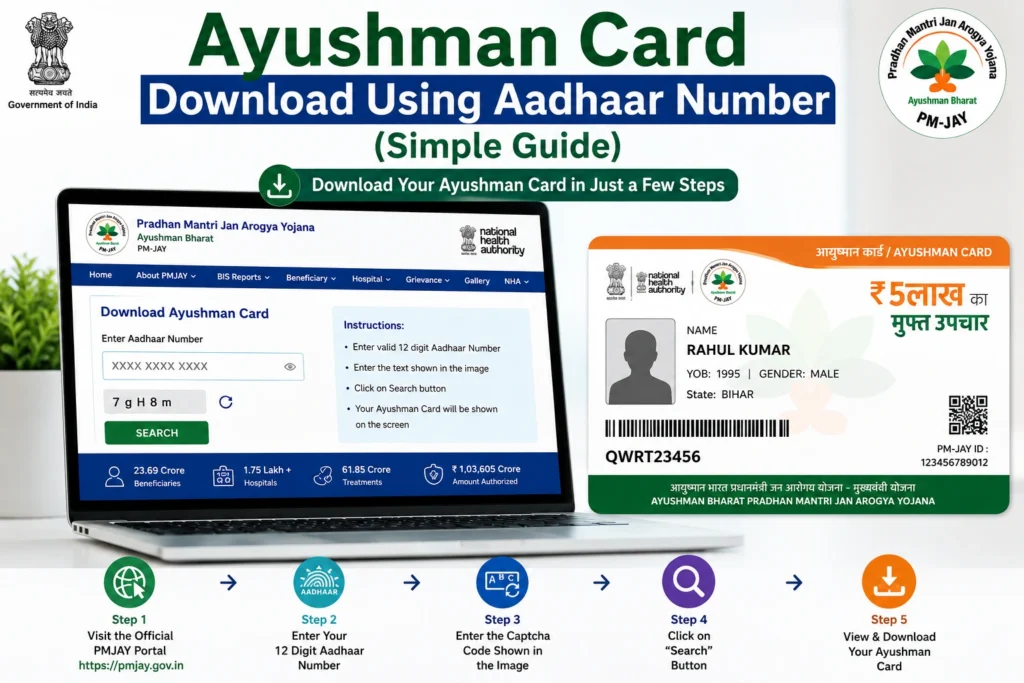
Step by Step Process
| Step | Action | Result |
| 1 | Open PMJAY portal | Website opens on mobile or PC |
| 2 | Login with mobile number | OTP verification starts |
| 3 | Select Aadhaar option | Aadhaar search screen opens |
| 4 | Enter Aadhaar number | Your record is searched |
| 5 | Verify OTP | Identity verification completes |
| 6 | Check eligibility | Approved or pending status shows |
| 7 | Download card | PDF file is saved on device |
You Can Also Read: How to Get Ayushman Card from PMJAY Portal (Easy Step Guide)
Common Problems While Using Aadhaar Number
- Wrong mobile number
- Network issue
- Aadhaar not linked properly
- Not in eligible list
- Data not updated
- System delay
- Card still generating
Name or DOB mismatch in records
Why Aadhaar Number Is Important for Ayushman Card
Your Aadhaar number is the main identity proof in PMJAY system. It helps in:
Verifying your personal identity
Matching your details with government records
Linking your family information
Preventing duplicate or fake entries
Completing secure OTP verification
Without Aadhaar verification, you cannot download or activate your Ayushman card.
How to Check Ayushman Card Status After Aadhaar Verification
After entering your Aadhaar number and completing OTP verification, you can check your status easily:
This helps you know whether your card is ready or still under process.
Easy Fixes
Wait 24 to 72 hours after approval
Check Aadhaar-linked mobile number
Clear browser cache
Try another device or browser
Visit CSC center if needed
Tips for Smooth Process
FAQs
Conclusion
Ayushman card download using Aadhaar number is easy when your details are correct and your mobile is linked properly. Most issues happen due to OTP or system delay.
If it does not work, wait a little and try again. If still not fixed, CSC center can help you get your card quickly.