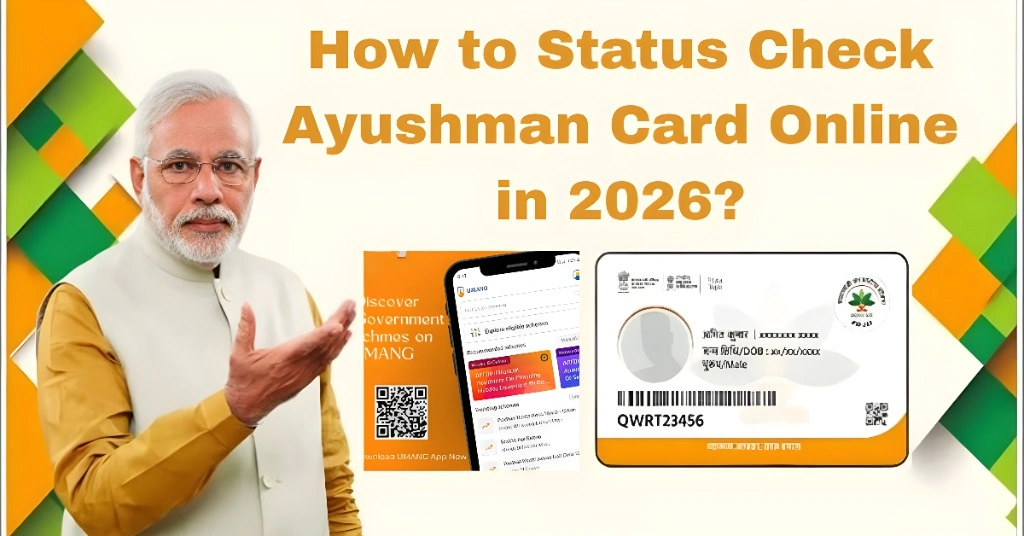
How to Status Check Ayushman Card Online in 2026?
You can check your Ayushman Card status online through the official PMJAY beneficiary portal or the official Ayushman App. You need to log in with your mobile number and OTP, then search your record using Aadhaar, ration card, family ID, or other available details. If your card is approved, you can download it. If it is pending, rejected, or showing e-KYC required, you need to fix the issue before using it at a hospital.
The Ayushman App is officially listed by the National Health Authority and says beneficiaries can use it to access Ayushman card services and free treatment benefits up to ₹5 lakh under PM-JAY.
What Is the Ayushman Bharat Card?
The Ayushman Bharat Card is a health benefit card issued under Ayushman Bharat Pradhan Mantri Jan Arogya Yojana, also called PM-JAY. It helps eligible families get cashless treatment at empanelled hospitals across India.
In simple words, this card works like a health safety shield for families who qualify under the scheme. It can help with hospitalisation, major treatments, surgeries, tests, medicines, and other covered medical services as per PM-JAY rules.
The National Portal of India lists the PM-JAY beneficiary portal as a service connected with the Ministry of Health and Family Welfare and the National Health Authority.
You Can Also Read: Ayushman Card Required: Documents Full List 2026
Why Checking Ayushman Card Status Is Important
Checking your card status is not just a small online task. It helps you know whether your family can actually use the card when treatment is needed.
Many people apply for the card and assume everything is done. But later, when they reach a hospital, they may find that the card is still pending, not verified, or not found. This can delay treatment and create stress at the worst time.
When you check your Ayushman Card status online, you can confirm if the card is approved, pending, rejected, under review, or waiting for e-KYC. This gives you time to correct errors before an emergency happens.
Documents Needed to Check Ayushman Card Status
You do not need every document at the same time. Still, keeping these details ready will make the process faster.
You may need your Aadhaar card, registered mobile number, ration card, PMJAY family ID, ABHA number, or state family ID. Some states may use local family IDs. For example, Madhya Pradesh users may use Samagra ID, while Rajasthan users may use Jan Aadhaar.
Use the same mobile number that was used during registration or Aadhaar linking. If you use a different number, OTP may not arrive, or your record may not appear.
Ayushman Card Status Meaning Table
| Status | What It Means | What You Should Do |
| Approved | Your card is active and ready | Download and save your card |
| Pending | Verification is still going on | Wait and check again after some time |
| e-KYC Required | Aadhaar verification is incomplete | Complete OTP, fingerprint, iris, or face authentication |
| Rejected | Your details did not match or you may not be eligible | Visit CSC or Ayushman Mitra desk for correction |
| On Hold | Your application needs extra checking | Submit missing or corrected details |
| No Record Found | Your entered details are wrong or not linked | Try Aadhaar, ration card, family ID, or registered mobile number |
| Under Review | Manual checking is in process | Wait or visit the nearest support centre |
How to Check Ayushman Card Status Online Through PMJAY Portal
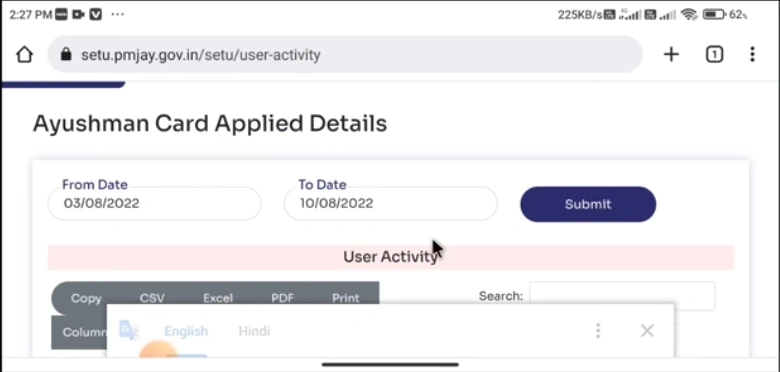
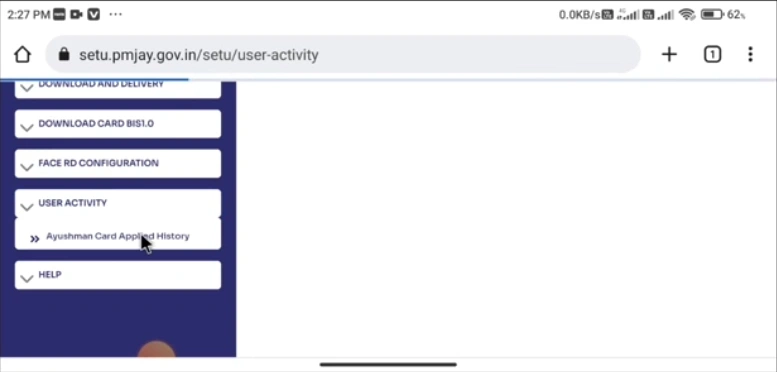
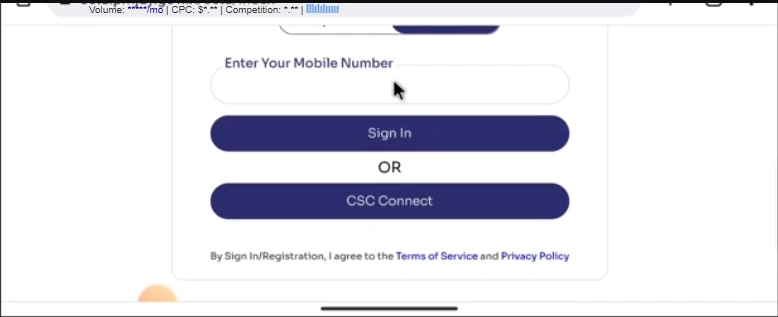
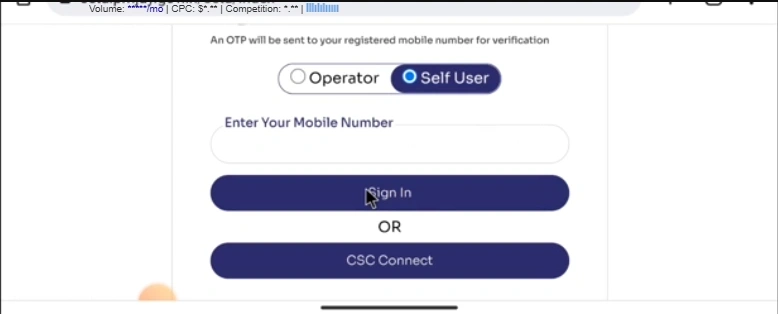
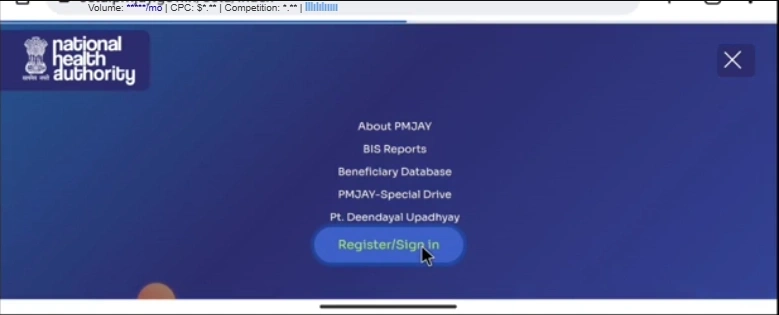
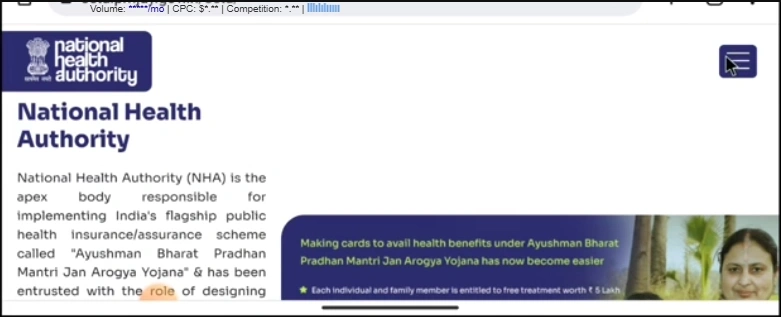
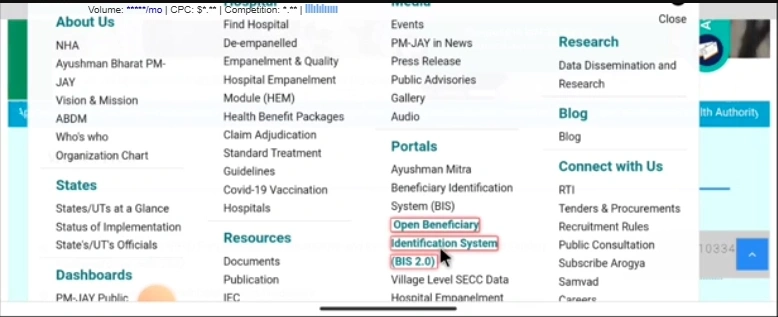
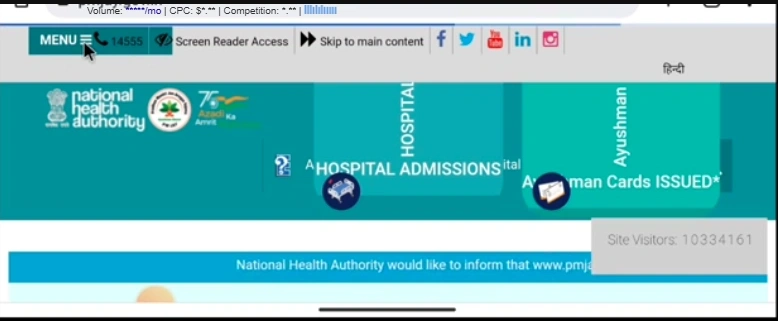
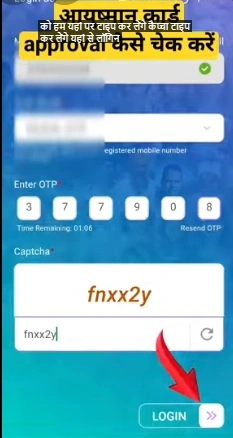
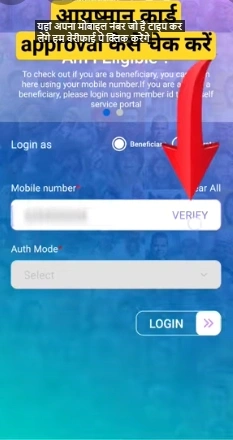
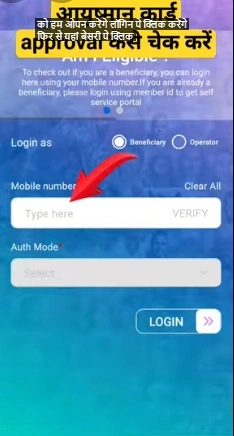
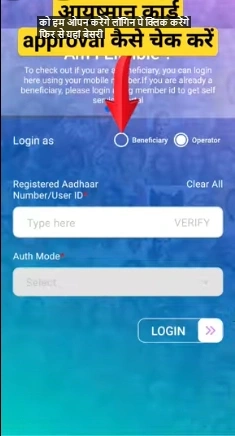
The official beneficiary portal is one of the main ways to check your card status. Open the beneficiary portal and choose the beneficiary login option. Enter your mobile number, verify the OTP, and complete the captcha if shown.
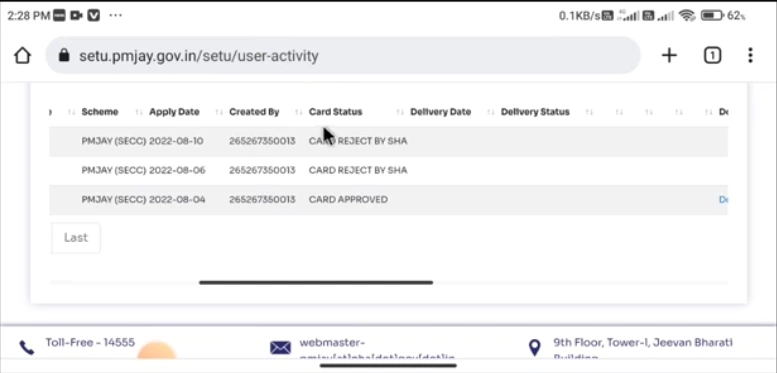
After login, search your record by using Aadhaar, ration card, family ID, or location details. Once your family record appears, you can see the card status. If the card is approved, you may get the option to download it.
The official beneficiary portal page also shows Ayushman card creation support and beneficiary-related services.
How to Check Status Through the Ayushman App
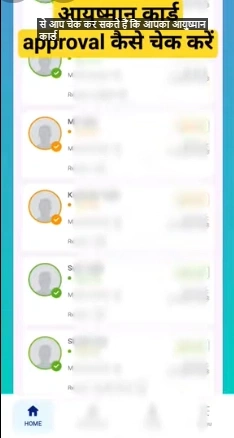
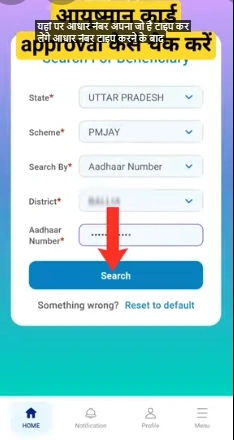
You can also use the official Ayushman App to check your card details. Open the app, choose the beneficiary option, enter your mobile number, verify OTP, and fill in the required details such as state, district, Aadhaar number, or family ID.
After searching, your record will appear if your details match the system. If the card is approved, you can download or view the card. If the status is pending or e-KYC required, follow the next steps shown in the app.
The Ayushman App was updated in May 2026 and is listed as an official mobile application for beneficiaries and stakeholders.
How to Check Ayushman Card Status Without Aadhaar
You can still try to check your status even if Aadhaar is not working or not available at that moment. In many cases, you can search using your registered mobile number, ration card number, PMJAY family ID, or state-specific family ID.
This method is useful when Aadhaar OTP is not coming, Aadhaar details do not match, or biometric verification fails. However, Aadhaar-based e-KYC may still be required before final approval or card download.
If none of the online options work, visit a CSC centre or Ayushman Mitra desk. They can check your details through other available records and guide you about the next step.
Offline Ways to Check Ayushman Card Status
Not every person can use online portals easily. Sometimes the website is slow, OTP does not come, or details do not match. In that case, offline support is helpful.
You can visit a nearby CSC centre with your Aadhaar card, ration card, mobile number, and family details. The operator can check your status and tell you if the card is approved, pending, rejected, or not found.
You can also go to an Ayushman Mitra desk at a government or empanelled hospital. This is useful if treatment is needed soon. The staff can check your details and explain what is missing.
For bigger correction issues, visit your District Health Office. This is better when your family details are wrong, your card is stuck, or your record needs manual checking.
Tips to Keep Your Ayushman Card Ready Before Hospital Visit
Always check your card status before visiting a hospital. Do not wait until the day of admission. If your card is approved, save a digital copy on your phone and keep one printed copy with your documents.
Also check whether the hospital is empanelled under PM-JAY. The official hospital search portal lets users search for Ayushman Bharat empanelled hospitals by state and other filters.
Keep your Aadhaar card, ration card, mobile number, and family ID ready. If the hospital asks for verification, these documents can help you avoid delays. Also make sure the patient’s name, age, and family details match the PMJAY record.
Troubleshooting Common Ayushman Card Status Problems
If your status shows Pending, do not panic. It usually means your application is still being checked. Wait for some time and check again. If it stays pending for too long, visit a CSC centre or Ayushman Mitra desk.
If your status shows Rejected, check for spelling mistakes, wrong Aadhaar details, old ration card number, duplicate family entry, or missing documents. Correct the issue and reapply if you are eligible.
If your status shows No Record Found, try another search method. Use Aadhaar, ration card, family ID, or the registered mobile number. Also check your state and district carefully before submitting.
If OTP is not coming, wait a few minutes, check network signal, and make sure the mobile number is active. Do not try too many times again and again, as repeated attempts may cause temporary issues.
For complaints, PMJAY support lists helpline numbers 14555 and 1800111565. The PMJAY grievance system also allows users to lodge complaints and track complaint status online.
Common Mistakes to Avoid While Checking Status
Many users make simple mistakes while checking their status. The most common mistake is using the wrong mobile number. Always use the number linked with Aadhaar, ration card, or Ayushman registration.
Another mistake is confusing the ABHA card with the Ayushman Bharat Card. ABHA is mainly a digital health ID, while the Ayushman Card is linked with PM-JAY treatment benefits.
People also enter wrong Aadhaar or ration card numbers. Even one wrong digit can show “No Record Found.” So check every detail before submitting.
Benefits After Ayushman Card Approval
Once your card is approved, your eligible family can use PM-JAY benefits at empanelled hospitals. The card can help with cashless treatment as per scheme rules.
The biggest benefit is that it protects families from sudden hospital bills. Medical emergencies can be expensive, and this card helps eligible families get support when they need it most.
Before treatment, always confirm with the hospital desk whether the disease, package, and treatment are covered. This simple step can prevent confusion later.
FAQs
Conclusion
Checking your Ayushman Card status online is simple when you know the right steps. You can use the PMJAY beneficiary portal, Ayushman App, Aadhaar, ration card, family ID, or registered mobile number.
If your card is approved, download it and keep it ready. If it is pending, rejected, on hold, or showing e-KYC required, fix the issue before a medical emergency happens.
A few minutes of checking today can help your family avoid stress tomorrow.