Ayushman Card Instant Verification eKYC Online 2026
Many Ayushman Bharat beneficiaries suddenly see an “Inactive,” “Verification Pending,” or “Suspended” status on their Ayushman Card when they need treatment urgently. In most cases, this happens because the eKYC verification is incomplete or outdated.
Without successful eKYC, hospitals may not be able to verify your identity under PM-JAY, which can delay free treatment benefits. The good news is that the verification process can usually be completed online within a few minutes using Aadhaar OTP verification.
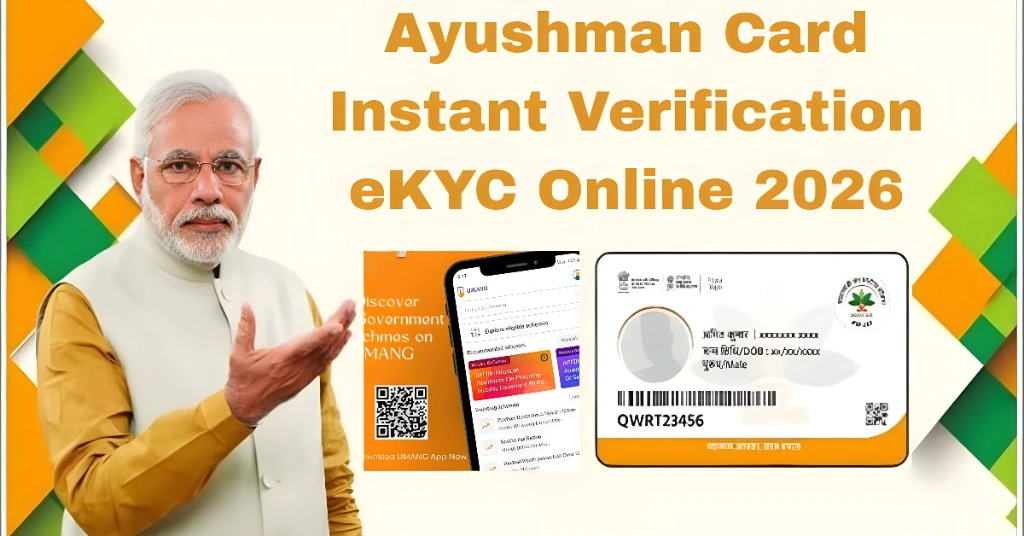
What Is Ayushman Card eKYC?
Ayushman Card eKYC is an online identity verification process linked with the Ayushman Bharat PM-JAY scheme. During verification, the system checks your Aadhaar details, mobile number, and biometric information to confirm that the beneficiary details are genuine.
The process may include:
This verification helps activate your Ayushman Card for cashless treatment at empanelled hospitals.
Why eKYC Verification Is Important
eKYC is necessary because hospitals use it to confirm beneficiary identity before providing treatment under PM-JAY. It also helps reduce fraud, incorrect claims, and duplicate records in the government database.
Once verification is completed successfully, your family details become active in the PM-JAY system, making it easier to access healthcare services quickly during emergencies.
You can also read: Download Ayushman App Latest Version in 2026
Who Must Complete Ayushman eKYC?
The verification process is important for:
| Situation | eKYC Required? |
| First-time Ayushman Card application | Yes |
| Card showing inactive status | Yes |
| Verification pending issue | Yes |
| Suspended beneficiary profile | Yes |
| Aadhaar detail mismatch | Yes |
| Mobile number update | Sometimes required |
Documents Required for Ayushman Card eKYC
In most cases, you only need a few basic documents for verification.
Required Documents
Optional Documents (if required)
If your Aadhaar mobile number is not linked, you may need to visit a CSC center or Aadhaar enrollment center.
Step-by-Step Process to Complete Ayushman eKYC Online
The online process is simple and usually takes only a few minutes.
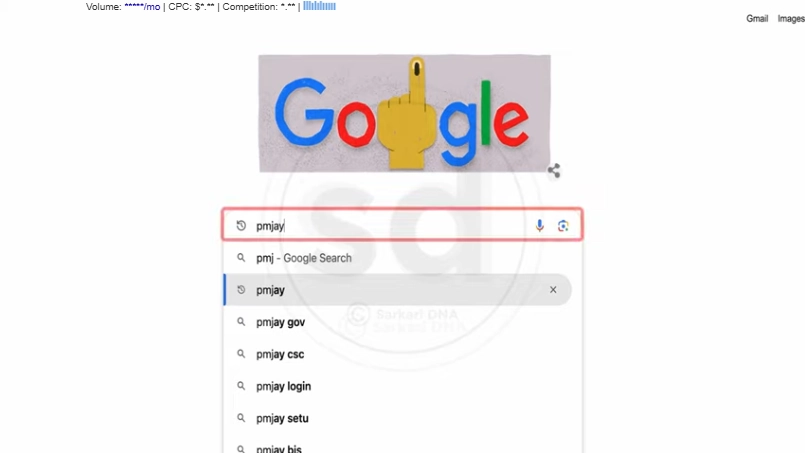
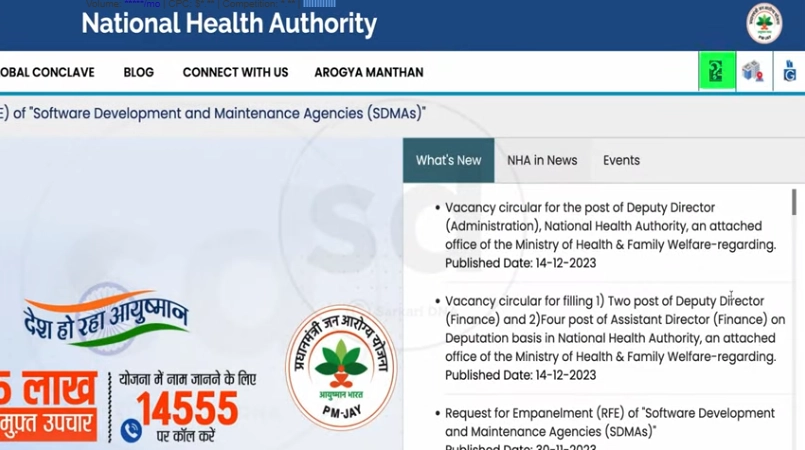
Step 1: Visit the Official PM-JAY Portal
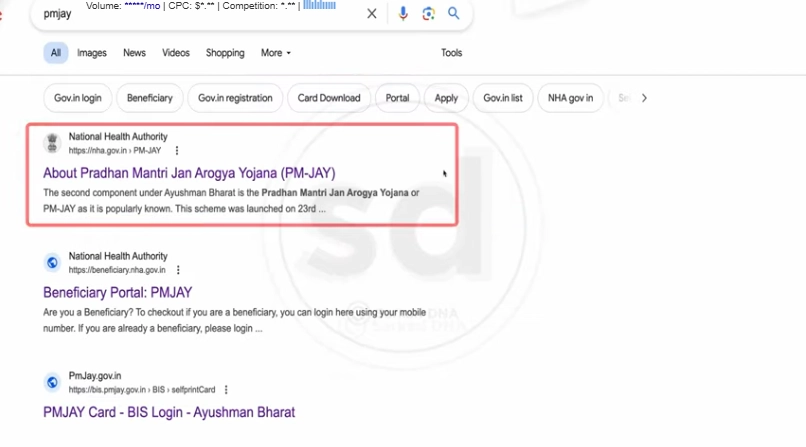
Open your browser and search for the official PM-JAY beneficiary portal.
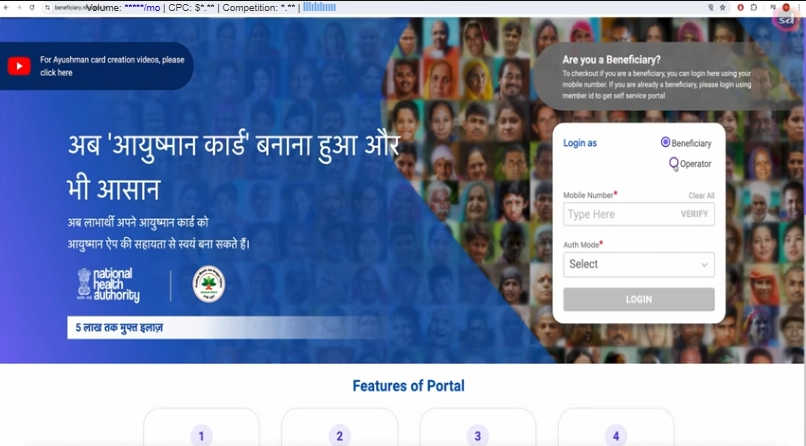
Step 2: Login as Beneficiary
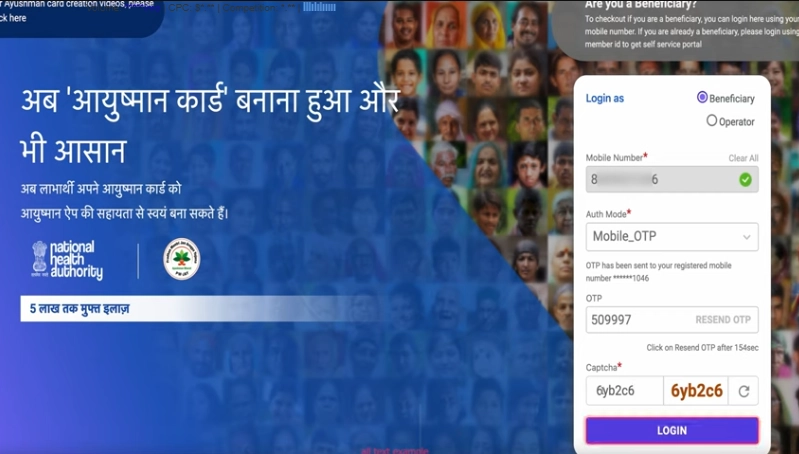
Choose the beneficiary login option and enter your mobile number.
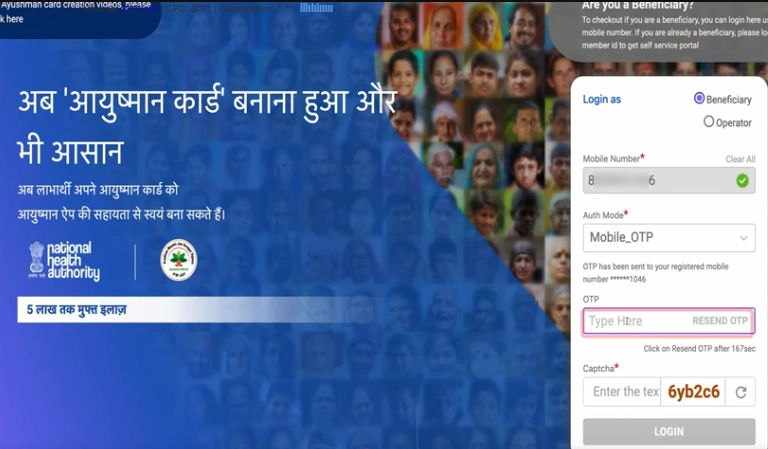
Step 3: Verify OTP
Enter the OTP received on your mobile and complete captcha verification.
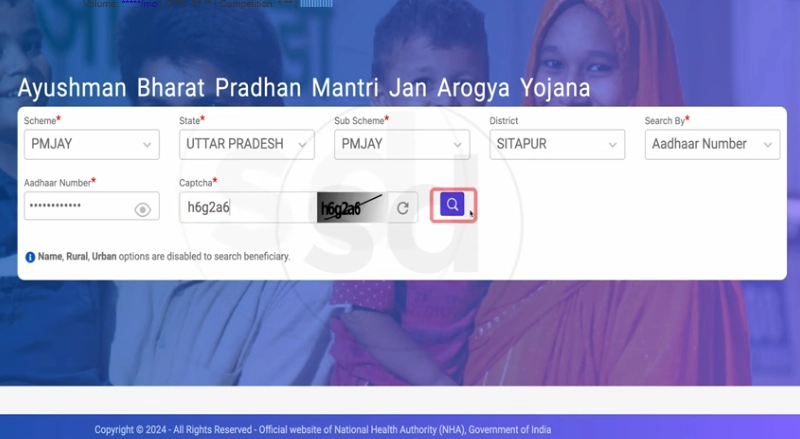
Step 4: Search Your Beneficiary Details
Select your state, scheme, district, and search using Aadhaar number or other available options.
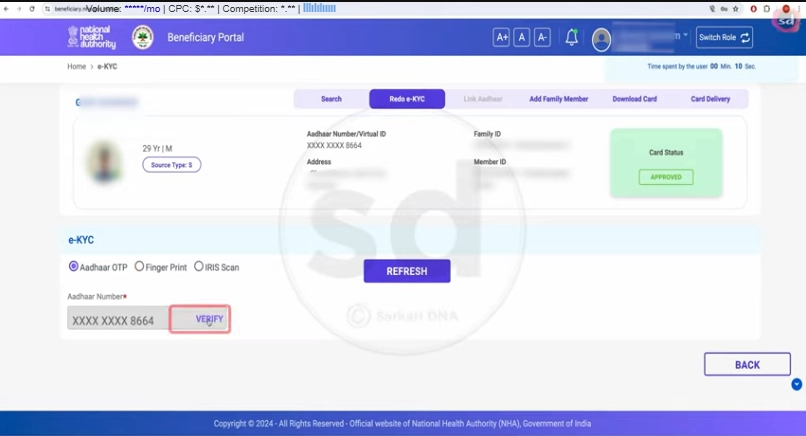
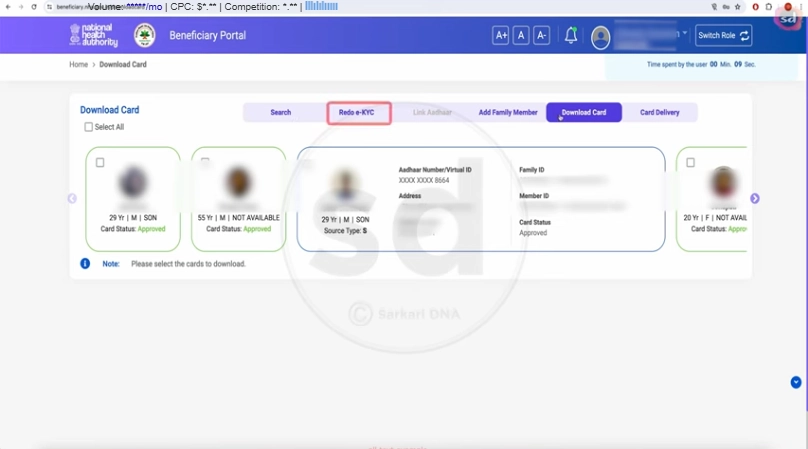
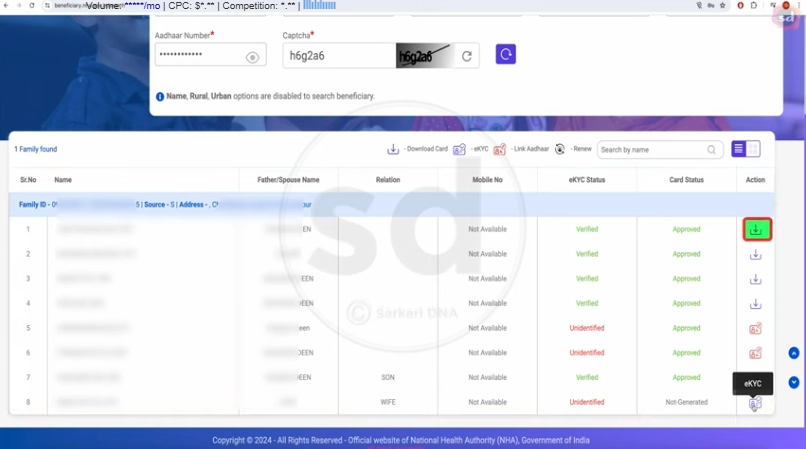
Step 5: Start eKYC Verification
If your status shows “Unverified” or “Pending,” click on the eKYC option.
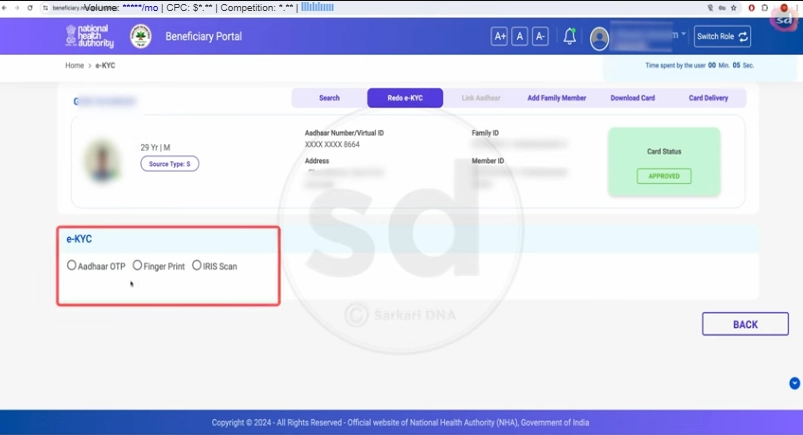
Step 6: Choose Verification Method
You may see options such as:
Aadhaar OTP
Fingerprint scan
Iris authentication
Most users select Aadhaar OTP because it is the easiest method.
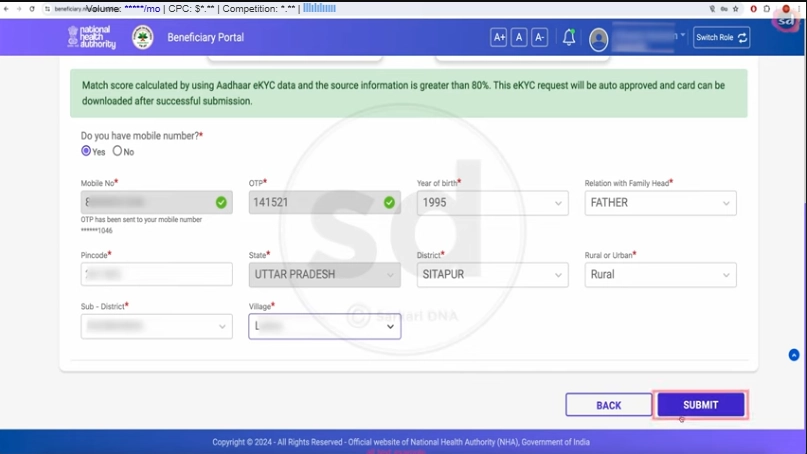
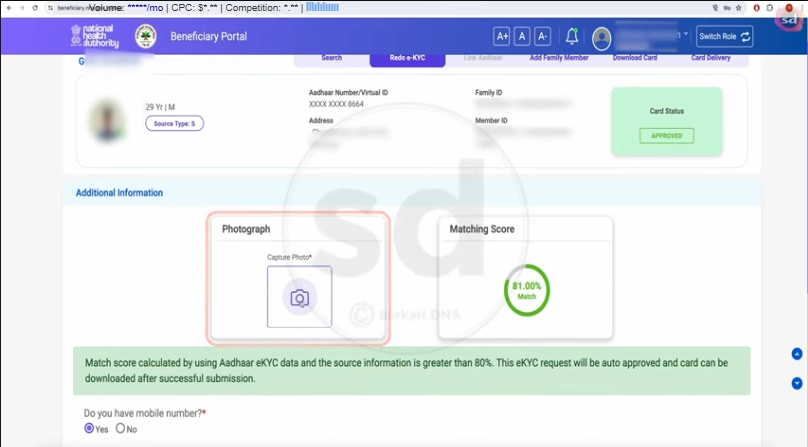
Step 7: Upload Photo & Submit Details
Upload your photograph if required and verify personal details carefully before submission.
Step 8: Complete Verification
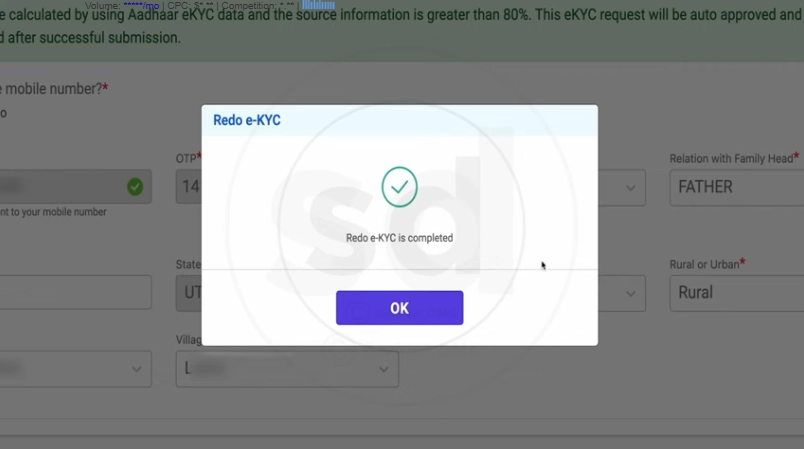
After successful verification, your Ayushman Card status should become active or verified.
Offline Method for Ayushman Card eKYC
If online verification is not working, you can complete the process offline at:
Carry your Aadhaar Card and linked mobile number while visiting the center.
How to Check Ayushman eKYC Status
After submission, log in again to the PM-JAY beneficiary portal and search your details. Your status may show:
| Status | Meaning |
| Verified / Completed | eKYC successful |
| Pending | Verification still processing |
| Rejected | Verification failed |
| Inactive | eKYC or document issue |
Common Ayushman eKYC Problems
Many users face small technical issues during verification.
Frequent Issues
OTP not received
Aadhaar mismatch
Wrong mobile number
Server busy or slow portal
Fingerprint not scanning
Photo upload problem
These issues usually happen due to outdated Aadhaar records, server load, or incorrect beneficiary information.
Troubleshooting Tips for Faster Verification
If OTP Is Not Coming
If Name or Age Is Incorrect
Update Aadhaar details first before retrying eKYC.
If Portal Is Slow
Try during non-peak hours or use another browser.
If Fingerprint Scan Fails
Clean the fingerprint scanner and try again carefully.
If Photo Upload Is Not Working
Use a clear image with proper lighting and stable internet.
Important Tips Before Starting Ayushman eKYC
To avoid rejection or delays, keep these things ready before starting the process:
How Long Does Ayushman eKYC Take?
Most Aadhaar OTP verifications are completed instantly. However, during heavy server traffic, approval may take a few hours.
Offline verification at CSC centers is usually completed the same day
Benefits of Completing Ayushman Card eKYC
.
Once verification is successful, you can:
FAQs
Conclusion
Ayushman Card eKYC is one of the most important steps for activating your PM-JAY health benefits. If your card becomes inactive or verification is pending, you can usually fix the issue online within minutes using Aadhaar OTP verification.