Complete Guide to Apply Ayushman Card ( Application 2026)
The Ayushman Card helps eligible Indian families get cashless treatment under Ayushman Bharat PM-JAY. It gives health cover of up to ₹5 lakh per family per year for secondary and tertiary hospital care at empanelled hospitals.
Before applying, check your eligibility, keep documents ready, and choose the best method: online portal, Ayushman App, CSC center, or empanelled hospital helpdesk.
What Is Ayushman Card?
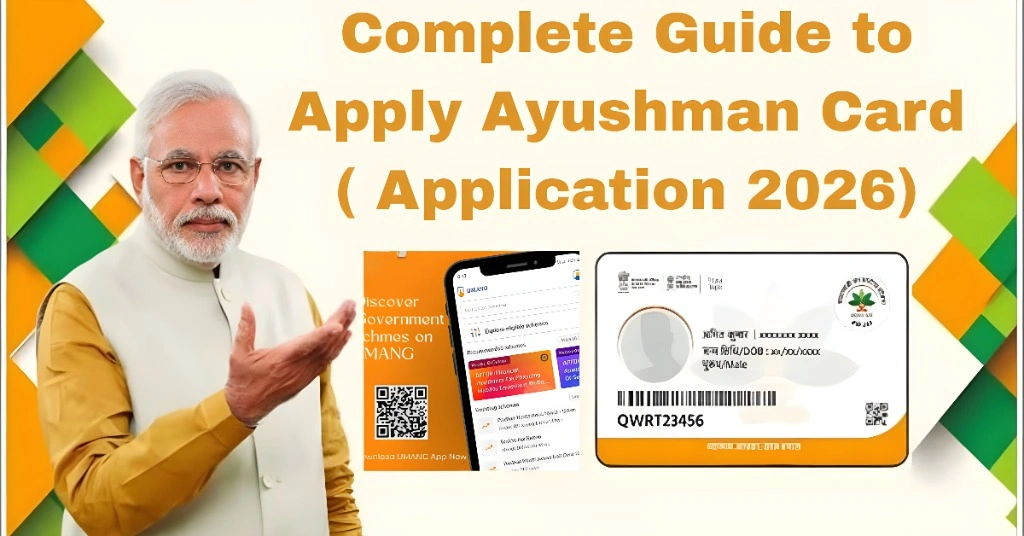
Ayushman Card is a digital health card issued to eligible PM-JAY beneficiaries. It proves that a person or family can receive cashless treatment under the scheme.
You can use it at listed government and private hospitals. The card includes beneficiary details, PM-JAY ID, and QR code.
Who Can Apply?
You may apply if your family is listed under PM-JAY beneficiary data. Many families are selected through government databases such as SECC 2011 and state health records.
Senior citizens aged 70 years and above can also apply under the senior citizen coverage expansion.
Documents Required
Keep these documents ready:
| Requirement | Purpose |
| Aadhaar Card | Identity and e-KYC verification |
| Aadhaar-linked mobile number | OTP verification |
| Ration Card or Family ID | Family member verification |
| Address proof | Location and residence check |
| Income or caste proof | Only if required by state/category |
| Passport-size photo | Sometimes needed offline |
Best Ways to Apply
| Method | Best For | Where to Apply |
| Beneficiary Portal | Users with internet and OTP access | beneficiary.nha.gov.in |
| Ayushman App | Mobile users | Official Ayushman App |
| CSC Center | People needing help | Nearby Common Service Centre |
| Empanelled Hospital | Patients or families near hospital | Ayushman Mitra Desk |
You Can Also Read: How to Ayushman Card Eligibility Check Online in 2026?
Apply Online Through Beneficiary Portal
Visit the official beneficiary portal. Choose the beneficiary login option. Enter your mobile number and verify OTP.
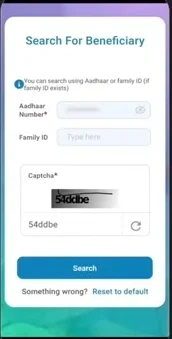
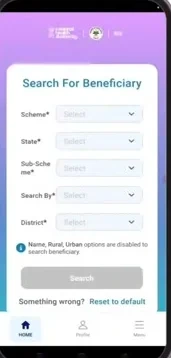
Now select your state, district, scheme, and search using Aadhaar number, Family ID, or ration card details. If your name appears, start e-KYC.
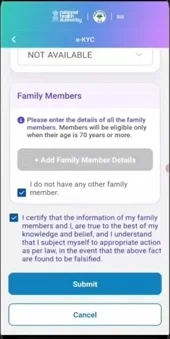
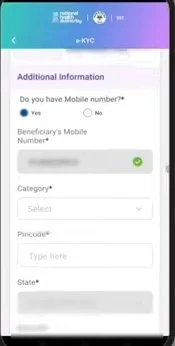
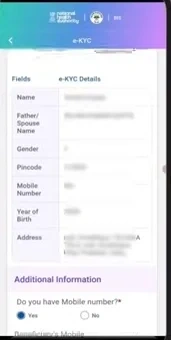
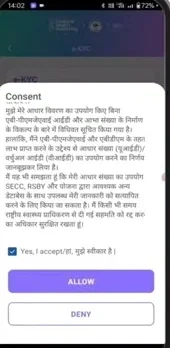
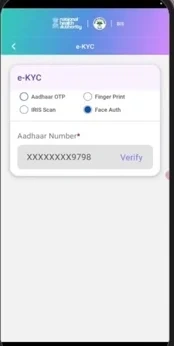
Complete Aadhaar OTP, face authentication, fingerprint, or iris verification. Fill in missing personal details such as address, gender, year of birth, and mobile number. Submit the form.
After approval, your Ayushman Card can be downloaded from the same portal.
Apply Through Ayushman App
Download the official Ayushman App. Log in with your mobile number and OTP. Search for the beneficiary using Aadhaar or family details.
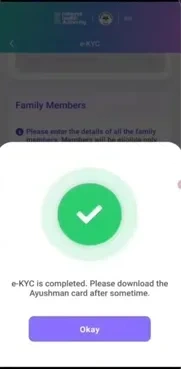
Complete e-KYC, upload details if needed, and submit the request. Once approved, download the card inside the app.
Offline Application Process
Visit your nearest CSC center or empanelled hospital. Carry Aadhaar, mobile number, ration card, and any supporting documents.
The operator will check your eligibility, complete biometric or OTP-based e-KYC, and submit your application. After approval, you can collect or download your card.
Senior Citizen Application
Citizens aged 70 years and above can apply using Aadhaar-based verification. They can use the beneficiary portal, Ayushman App, CSC center, or Ayushman Mitra desk.
For senior citizens, Aadhaar and mobile OTP verification are very important. If OTP does not work, visit a CSC center for assisted verification.
Citizens aged 70 years and above can apply using Aadhaar-based verification. They can use the beneficiary portal, Ayushman App, CSC center, or Ayushman Mitra desk.
For senior citizens, Aadhaar and mobile OTP verification are very important. If OTP does not work, visit a CSC center for assisted verification.
How to Download Ayushman Card
Log in to the beneficiary portal or app. Search your beneficiary profile. Complete OTP or e-KYC verification.
Click the download option and save the PDF. You can print it or keep it on your phone.
Tips Before You Apply
Use the same name and date of birth as shown on Aadhaar. Keep your Aadhaar-linked mobile active. Do not submit duplicate applications.
Apply during non-peak hours if the portal is slow. Take help from CSC if you are confused or if your family details do not appear.
Troubleshooting Common Problems
If your name is not found, try searching with Aadhaar, ration card, or Family ID. If OTP does not come, check whether your mobile is linked with Aadhaar.
If e-KYC fails, try another method such as face authentication or visit a CSC center. If details are wrong, request correction through CSC or an Ayushman helpdesk.
If a hospital refuses valid cashless treatment, call the PM-JAY helpline 14555 or file a grievance through the official support system.
If your name is not found, try searching with Aadhaar, ration card, or Family ID. If OTP does not come, check whether your mobile is linked with Aadhaar.
If e-KYC fails, try another method such as face authentication or visit a CSC center. If details are wrong, request correction through CSC or an Ayushman helpdesk.
If a hospital refuses valid cashless treatment, call the PM-JAY helpline 14555 or file a grievance through the official support system.
State-Wise Application Support
The basic process is similar across India, but some states provide extra help through state portals, local health offices, Atal Seva Kendras, Arogya Mitra desks, or government hospitals.
UP, Bihar, Gujarat, Delhi, Haryana, Punjab, Karnataka, and other states generally allow application through the PM-JAY portal, CSC centers, Ayushman App, and empanelled hospitals.
FAQs
Conclusion
Conclusion
Ayushman Card PM-JAY scheme ke under eligible families ko ₹5 lakh tak cashless treatment provide karta hai. Is ko online portal, Ayushman App, CSC center ya hospital se apply kiya ja sakta hai.
Agar documents aur eligibility theek ho to process simple hai aur card easily download ho jata hai. Kisi bhi problem ki surat mein CSC ya helpline se madad li ja sakti hai.